dism
Created: 2026-04-01 17:57:37 | Last updated: 2026-04-01 21:16:20 | Status: Public
cmd /c takeown /f %OSDisk%\_SMSTaskSequence /r /d y && icacls %OSDisk%\_SMSTaskSequence /grant administrators:F /t && rd /s /q %OSDisk%\_SMSTaskSequence
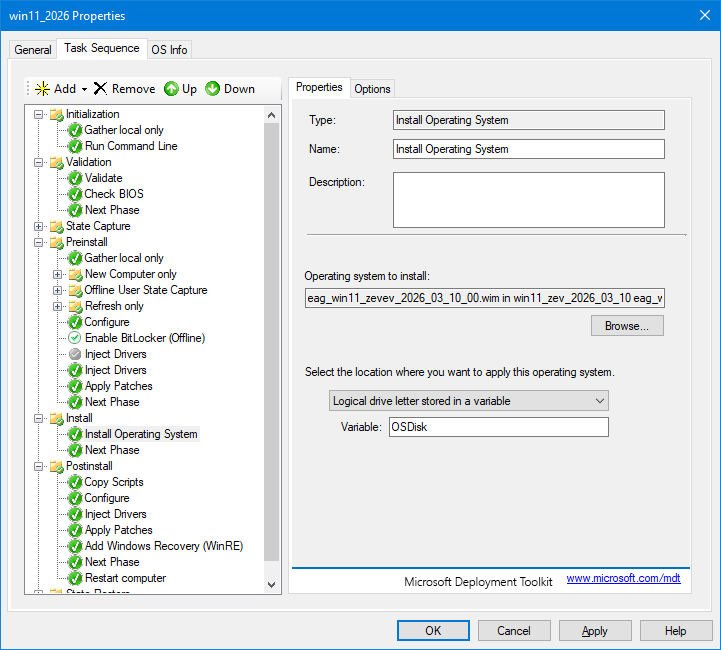
Add a “Run Command Line” step right before the “Install Operating System” step in the Install group. The command would be:
cmd /c rd /s /q %OSDisk%\_SMSTaskSequence
Set it to “Continue on error” in case the folder doesn’t exist. That way it’s harmless on clean deployments and fixes the problem on re-deployments.
So D: during the apply phase is actually normal for UEFI deployments in MDT. The problem isn’t that it’s D: - it’s that the path is D: instead of D:.
That said, since you said nothing changed except the new image, go back to basics. On your deployment server, run DISM /Get-ImageInfo /ImageFile:”\172.30.72.90\DeploymentShare$\Operating Systems\intel_hds_26\intel_hds_26.wim” and tell me what it says. If the WIM is good, we know the issue is in the apply path or the task sequence configuration for this new OS entry.
DISM /Get-ImageInfo /ImageFile:”\172.30.72.90\DeploymentShare$\Operating Systems\intel_hds_26\intel_hds_26.wim”
Details for image : C:\DeploymentShare\Operating Systems\intel_hds_26\intel_hds_26.wim
Index : 1
Name : intel_hds_26
Description :
Size : 83,550,642,897 bytes
The operation completed successfully.
PS C:\Users\Administrator>